Before you compare any of the best audiobook players, check where your audiobooks come from. An audiobook is only playable in the apps and devices its source allows. A title borrowed from your library, a title bought from a store and an MP3 file on your computer are three different things, and a player that handles one of them often cannot open another.
That is why this guide is sorted by source instead of by feature list. If you read on a Kindle or Kobo, you probably already have a library card, a store account or both, and the right player is the one that works with them.
Start with your library, not the player
Audiobooks reach you in four ways:
- Library loans. You borrow them with a library card through an app. The loan expires on its own.
- Store purchases. You buy from one retailer, such as Audible or Kobo, and the file is locked to that retailer’s apps and supported devices.
- Subscriptions. You pay monthly for credits or for unlimited access, and the same store-lock applies.
- DRM-free files. These are MP3 or M4B files with no copy protection, bought from a seller that offers them or ripped from discs you own. They play in almost any player.
DRM is the copy protection built into most store and library audiobooks. It is the reason a purchase from one store cannot simply be moved into another store’s app. DRM-free files have none of that, so they are the most flexible and the least convenient to collect.
Look at what you already own and borrow. Count how many of your audiobooks fall into each group. The group with the most titles decides which section below matters most to you.
How to judge ease of use day to day
Compatibility decides whether a player is possible. Ease of use decides whether you will keep using it. These are the questions that matter once the book opens:
- Resuming. Does it return to your exact spot after a phone call, a dropped Bluetooth connection or a few days away?
- Speed control. Can you set playback speed in small steps and have it remembered for each book?
- Sleep timer and bookmarks. Can you mark a passage while walking or driving, and find it again later?
- Getting books in. Is the path from your account or file folder to the player short, or does it need a computer and a cable?
- Sync across devices. Does the position carry between your phone and a second device?
Apply these to whichever player you are considering, and check the current feature list in the app or on the manufacturer’s page before buying, since apps and device models change.
Best choice if you borrow from your library
Libby is the pick. It is the free app most public libraries in the US and many in other countries use for audiobook loans. You sign in with your library card, browse your library’s catalogue, borrow a title and listen inside the app. It includes speed control, a sleep timer and bookmarks, and it remembers your place.
Two limits are worth knowing. First, popular titles often have a waitlist, so borrowing works best when you keep a few holds queued rather than choosing a book the day you want it. Second, library audiobooks are not usually playable on a Kindle or a Kobo ereader. They play on a phone or tablet running the app, so a phone with headphones is the player here.
If you are new to the idea of borrowing digitally, the rise of digital libraries covers how these systems work. Your own library’s website will tell you which apps it supports, and that list matters more than any review, because a library can only offer the services it has signed up for.
Best choice if you buy from one store and stay there
Use the store’s own app. This is the least exciting recommendation and usually the right one. Store audiobooks are built to work best in the store’s player, and that player always supports the purchase, including newer files that third-party apps struggle with.
- Audible purchases and subscriptions: The Audible app on your phone is the main player. Some Kindle ereader models can also play Audible audiobooks through Bluetooth headphones or speakers, so if your Kindle is your main device, check that your specific model supports audio before you count on it.
- Kobo purchases and subscriptions: The Kobo app on your phone plays Kobo audiobooks. Some newer Kobo ereaders also support audiobooks over Bluetooth. Again, confirm your exact model on Kobo’s site, because older Kobo models do not have audio.
The advantage of this route is that your ebook and audiobook live in one account, and some stores let you switch between reading and listening with your place kept. The disadvantage is lock-in. If you stop paying for a subscription or leave the store, you may lose access to titles you thought you owned. Read the terms for your plan before you build a large collection there.
Pick this route if most of your listening comes from one store and you want the simplest setup. Pick a different route if you already own books from more than one place.
Best choice if you own DRM-free files like MP3 or M4B
DRM-free files give you the widest choice of players, but the quality of the player varies a lot. A general music app treats an audiobook as a long song. It forgets your position, lacks chapter navigation and may shuffle files in the wrong order. You want an app built for books.
- On iPhone and iPad: BookPlayer is a free, audiobook-focused app that handles folders of MP3 files and single M4B files, with speed control, a sleep timer and chapter navigation.
- On Android: Smart AudioBook Player is a long-standing option built around folders of files, with bookmarks and per-book speed memory. Some of its features are in a paid version, so check what is free before you commit.
- On either: VLC plays nearly any file but has fewer audiobook features, so treat it as a backup for odd formats.
M4B is usually the better format when you have a choice. One M4B file holds the whole book with chapter markers, so you copy one item instead of a hundred MP3 files. A folder of MP3s works too, as long as the file names sort in the right order.
One option for people with many files is Audiobookshelf, a self-hosted server that streams your library to phone apps. It is powerful but needs a computer or home server to run, so it suits people who are comfortable with that kind of setup, not a first-time listener.
If you want to buy DRM-free audiobooks instead of ripping your own, some sellers, including Libro.fm, offer downloads without copy protection. Check the seller’s description for each title, since policies can differ by publisher.
Dedicated audiobook players versus the phone in your pocket
A phone is the best default. It runs every app above, it is already with you, and it syncs with your accounts. Its weaknesses are notifications, battery drain and the temptation to open something else mid-chapter.
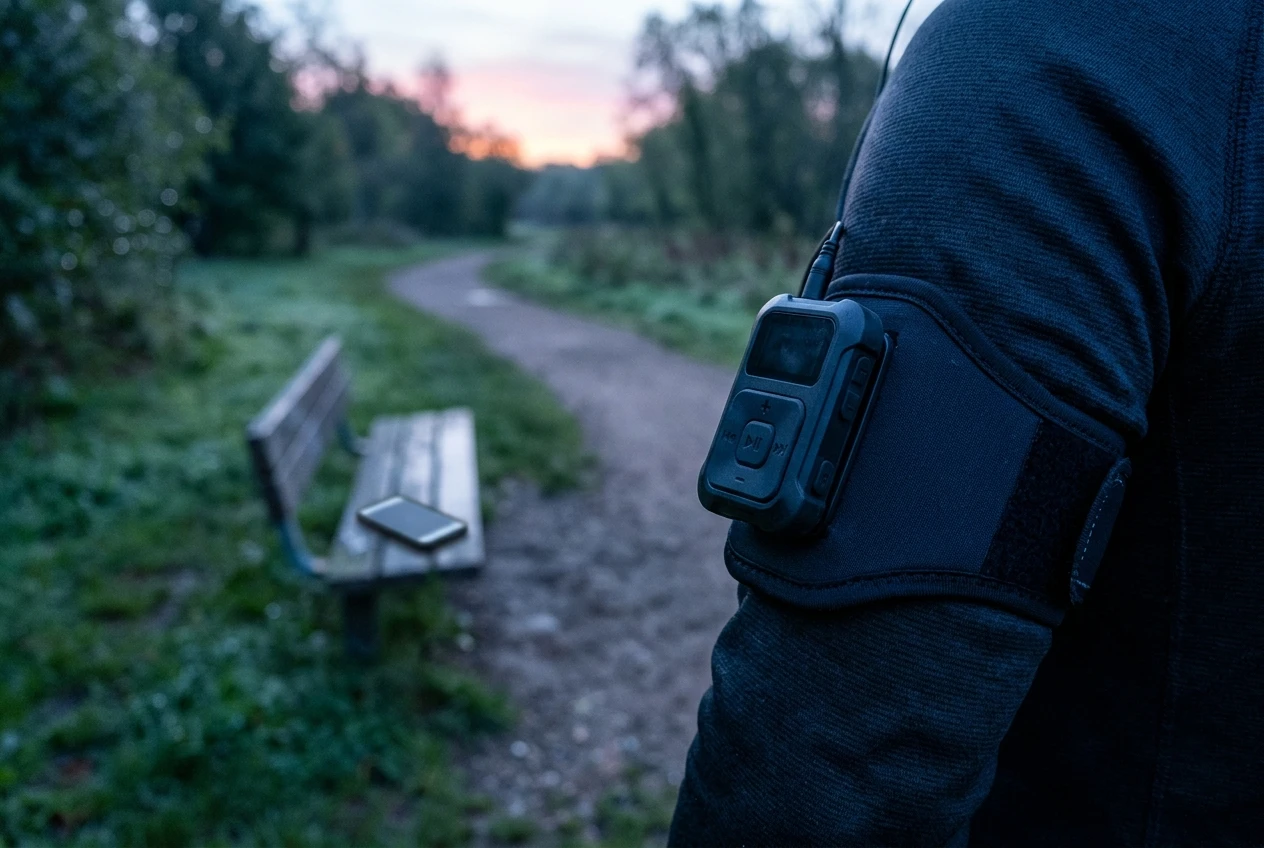
Dedicated hardware is worth considering in a narrow set of cases:
- You want to listen while running, swimming or doing chores without carrying your phone.
- You find phone distractions break your listening time.
- You own a stack of DRM-free files and want a simple device with physical buttons.
The catch is compatibility. Dedicated players generally handle DRM-free MP3 and often M4B files. Most do not play library loans or store-locked purchases from Audible or Kobo. Before you buy one, read the manufacturer’s supported-format list and look for three things: M4B support, bookmark or resume memory per book, and a way to adjust speed. A basic MP3 player without these will play your book but lose your place often.
The Kindle and Kobo ereaders that support Bluetooth audio sit in between. They act as a dedicated device for that one store’s audiobooks, and they are convenient if you already carry the ereader, but they do not open library or DRM-free files in the way a phone app does.
Which one to pick: a short decision guide by reader type
- You have a library card and a limited budget: Install Libby, link your card and place holds on a few titles. Use your phone with headphones.
- You buy from Audible: Use the Audible app. If you own a Kindle with audio support, you can also listen on it with Bluetooth headphones.
- You buy from Kobo: Use the Kobo app, or a Kobo ereader that supports audiobooks, after confirming your model.
- You own MP3 or M4B files: Use BookPlayer on iPhone or Smart AudioBook Player on Android. Consider dedicated hardware if you want to leave your phone behind.
- You use more than one source: Keep two apps: Libby for borrowing and the store’s app for purchases. Add a DRM-free player only when you have files that need one.
- You are not sure yet: Start with Libby. It costs nothing, needs only a library card and shows you quickly whether listening fits your routine before you spend on a subscription or a device.
The best audiobook player is the one that opens the books you already have. Start from your library, choose the matching app, and add hardware only when a clear need appears.

Leave a Reply